To export goods from China legally, companies must use a Port USB Key to access the Chinese government platform Single Window (China International Trade Single Window).
This guide explains how to install drivers, log in to the system, and grant access to your logistics partner so they can submit export declarations on your behalf.
What Is a Port USB Key in China?
A Port USB Key is a hardware security device used to access the official Chinese customs and trade platform Single Window (中国国际贸易单一窗口).
Through this system, companies can:
- submit export declarations;
- handle customs clearance documents;
- manage logistics and shipping data;
- authorize logistics companies to act on their behalf.
Without a properly configured USB key, export procedures in China cannot be completed.
System Requirements for Using a Port USB Key
Before starting, make sure the following requirements are met:
- A Windows-based computer is required (macOS is not supported);
- Official USB key drivers must be installed;
- A high-quality USB cable should be used (preferably the original one).
⚠️ Poor-quality USB cables often cause connection errors and login failures.
Step-by-Step Guide: How to Log In to Single Window
Step 1. Open the Official Website
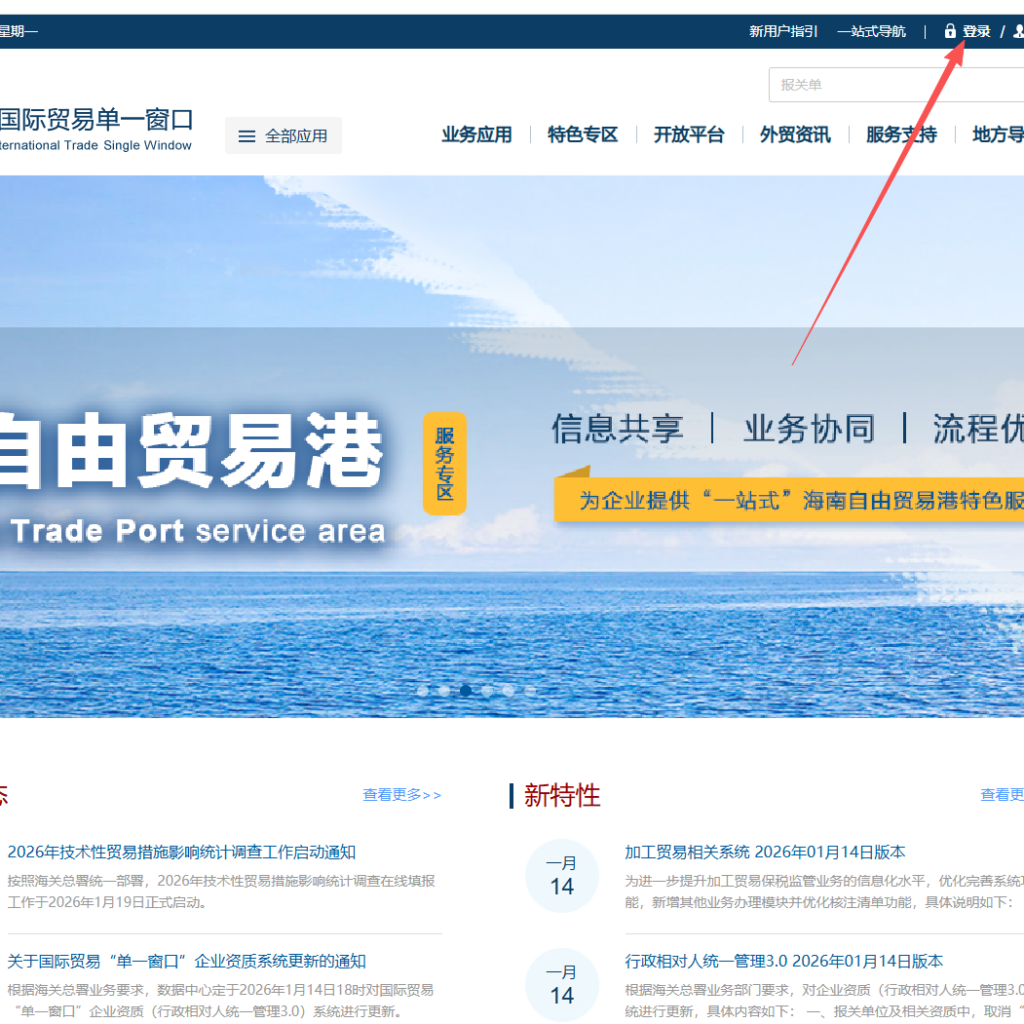
Go to the official Single Window platform:
https://www.singlewindow.cn/
Step 2. Insert the USB Key
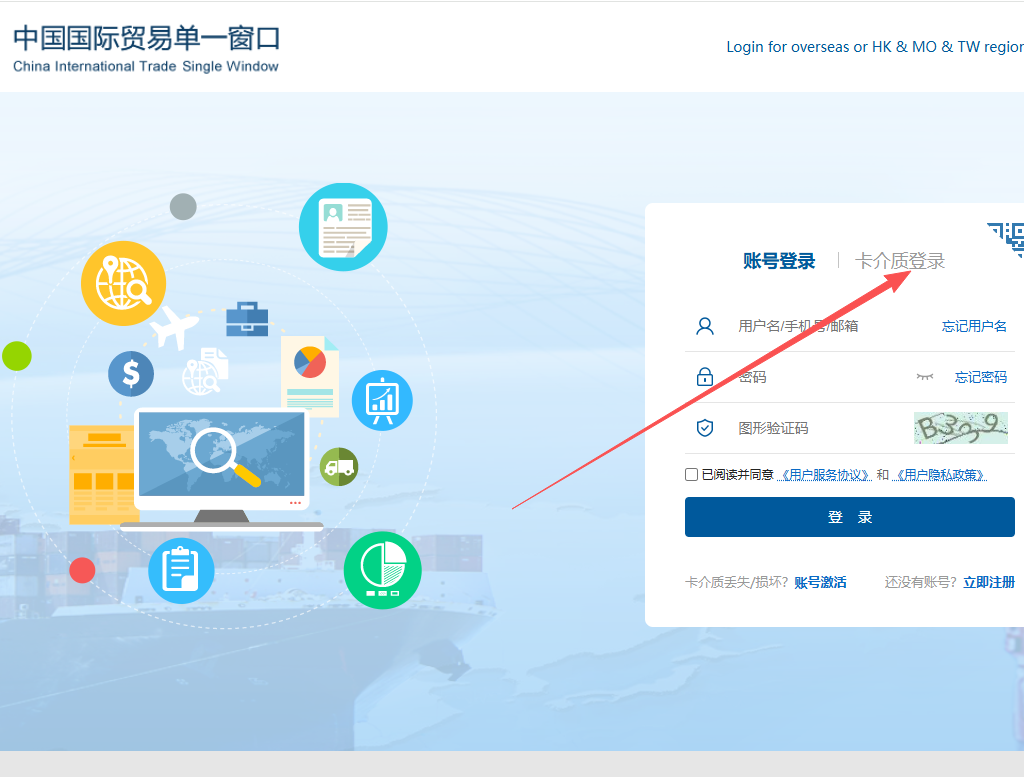
Connect the Port USB Key to your computer.
Step 3. Install Drivers
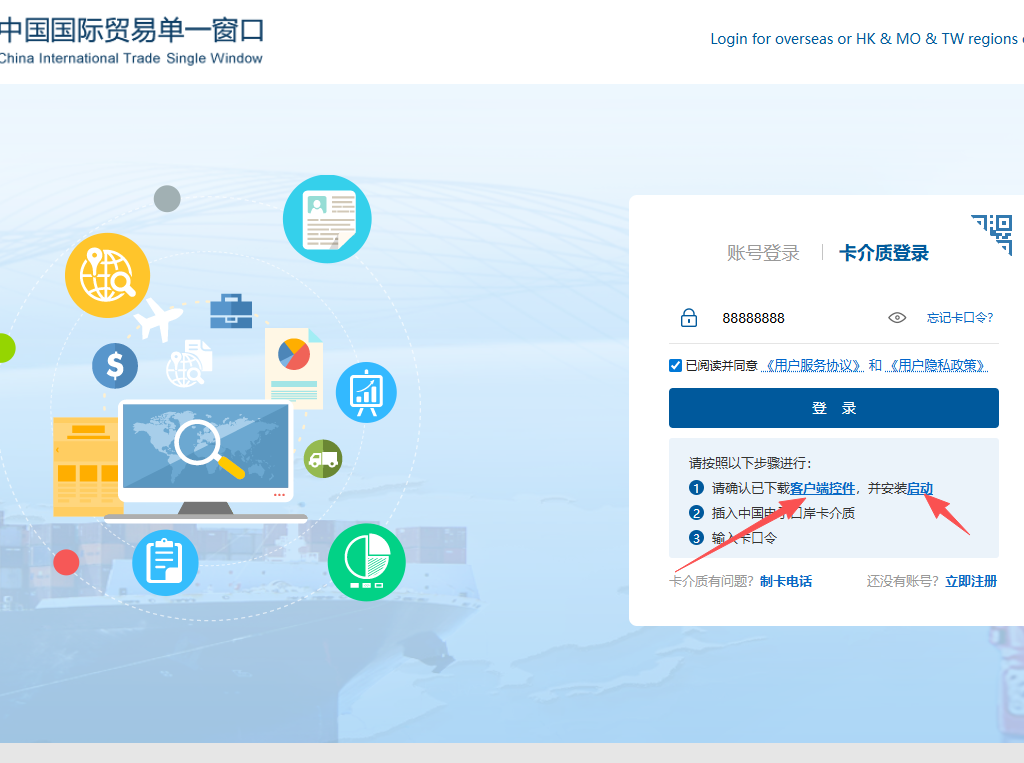
Download and install the required drivers for the USB key.
After installation, restart your computer.
Step 4. Log In to the System
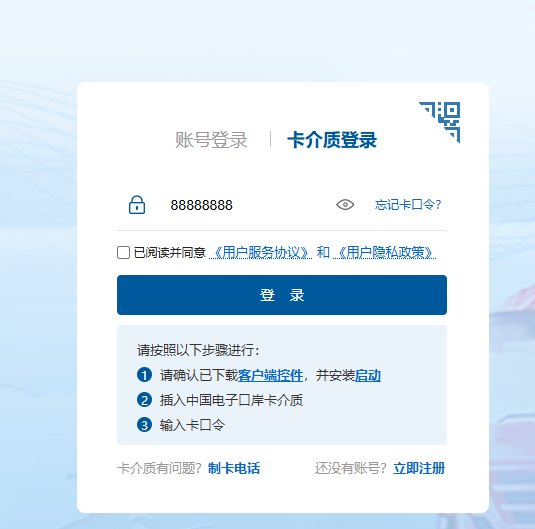
Log in to the Single Window system.
Default password: 88888888
How to Grant Access to a Logistics Company
If you want your logistics or transportation partner to submit export declarations on behalf of your company, you must grant them access in the Single Window system.
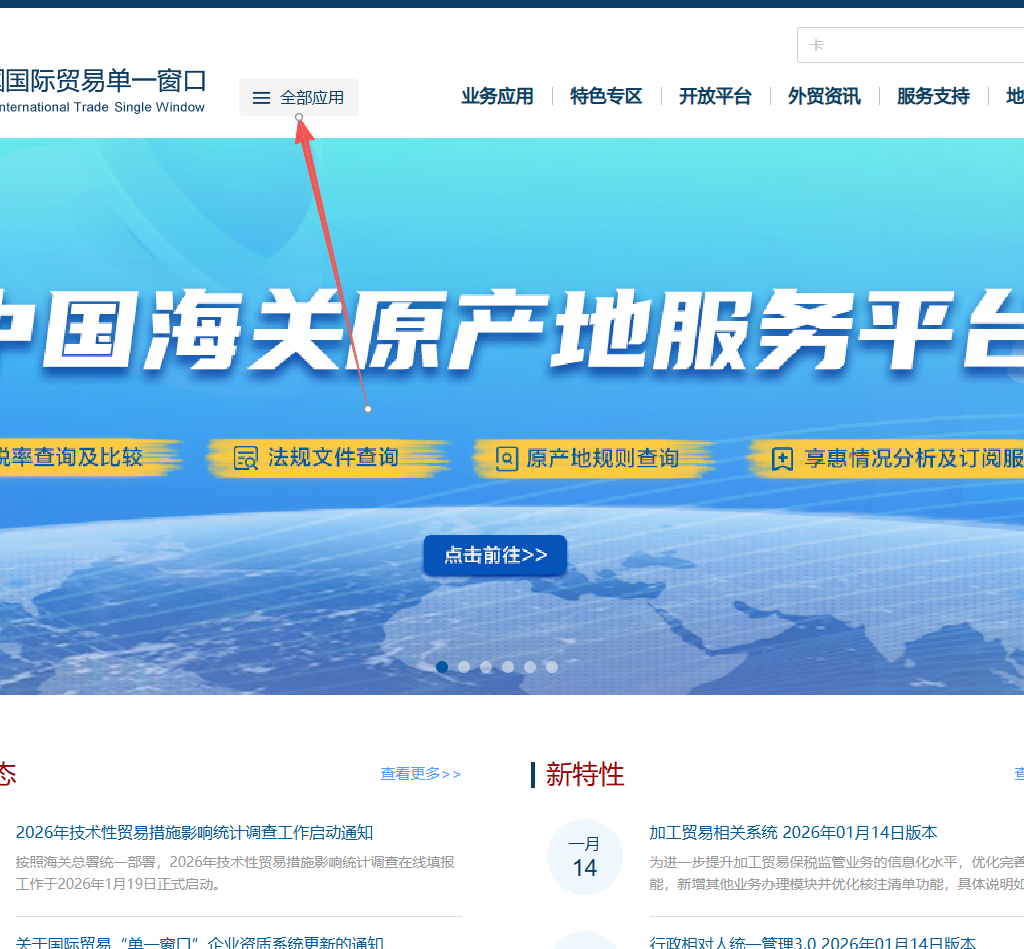
Access Authorization Process:
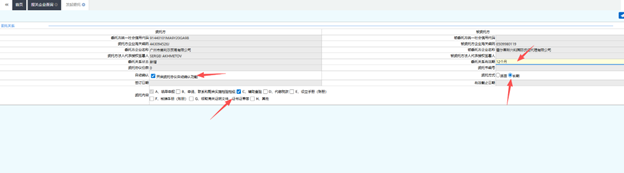
- Open the relevant menu section (see screenshots).
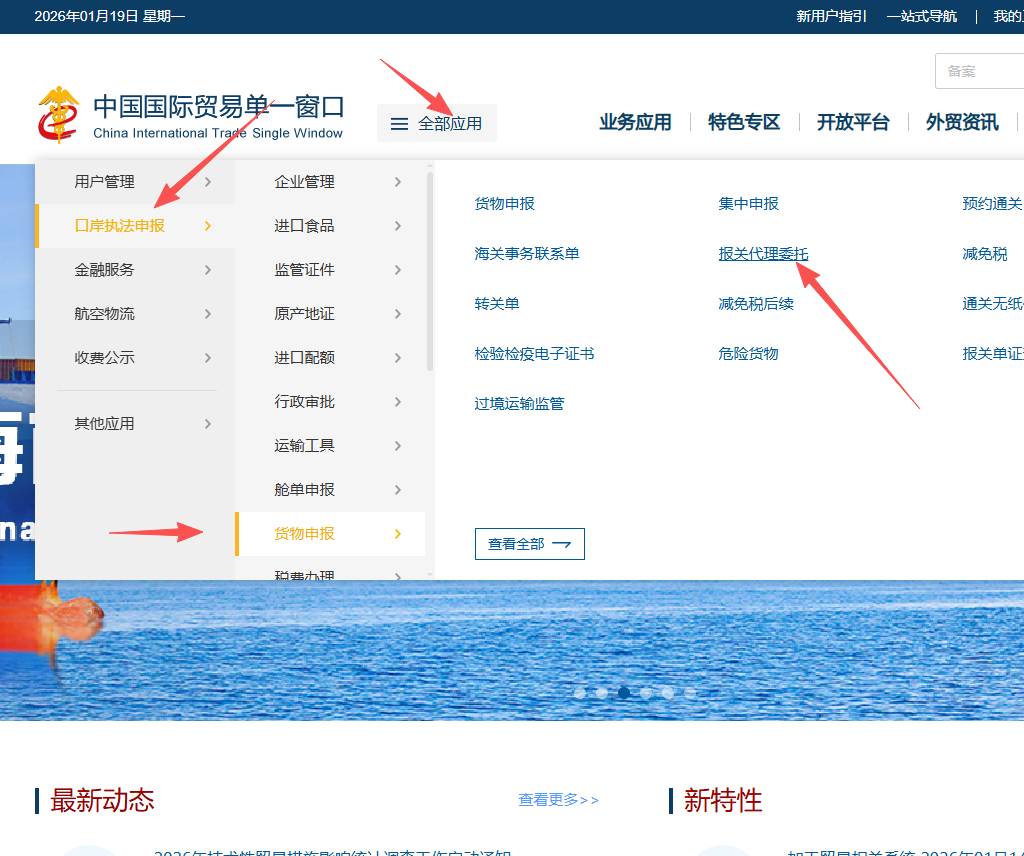
- Follow the on-screen instructions step by step.
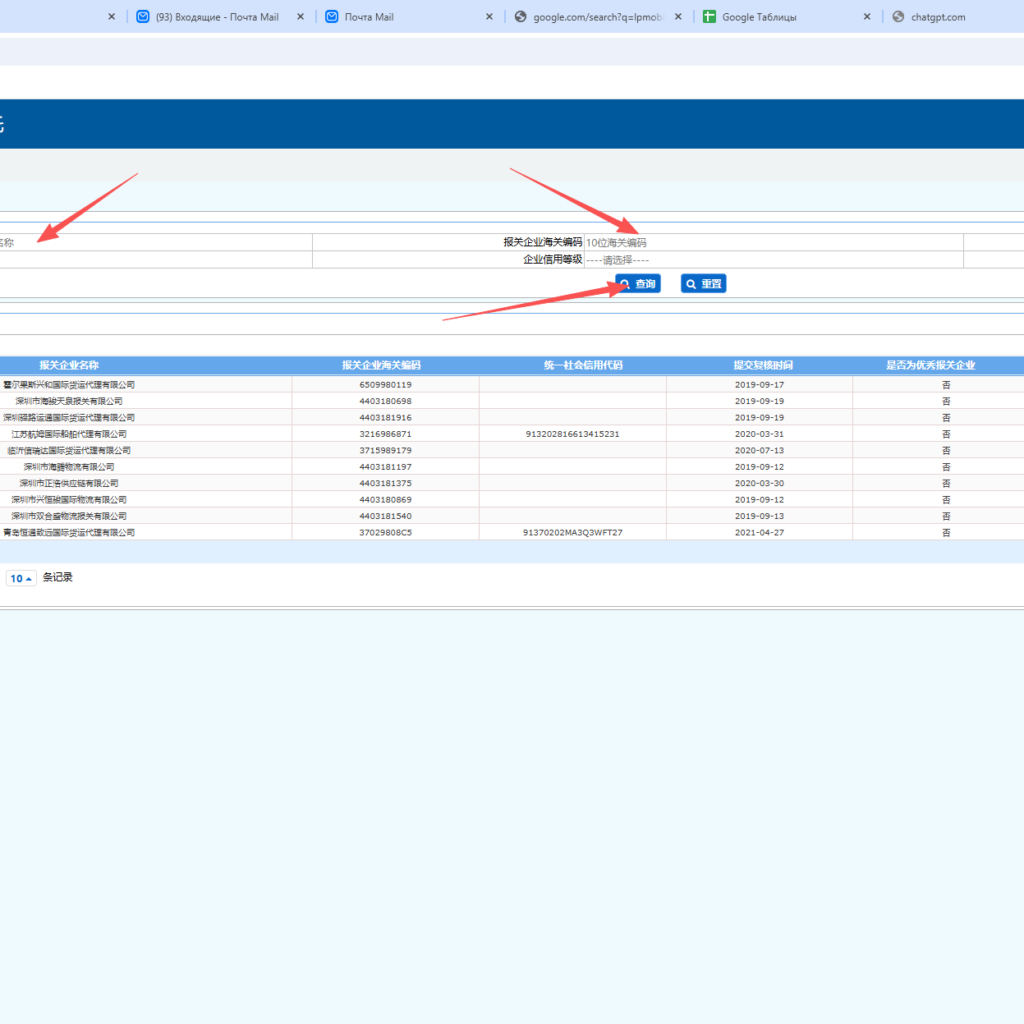
- Enter your logistics partner’s company information.
- Confirm and save the access settings.
Setting Access Rights and Permissions
You can configure the level of access for your logistics partner manually.
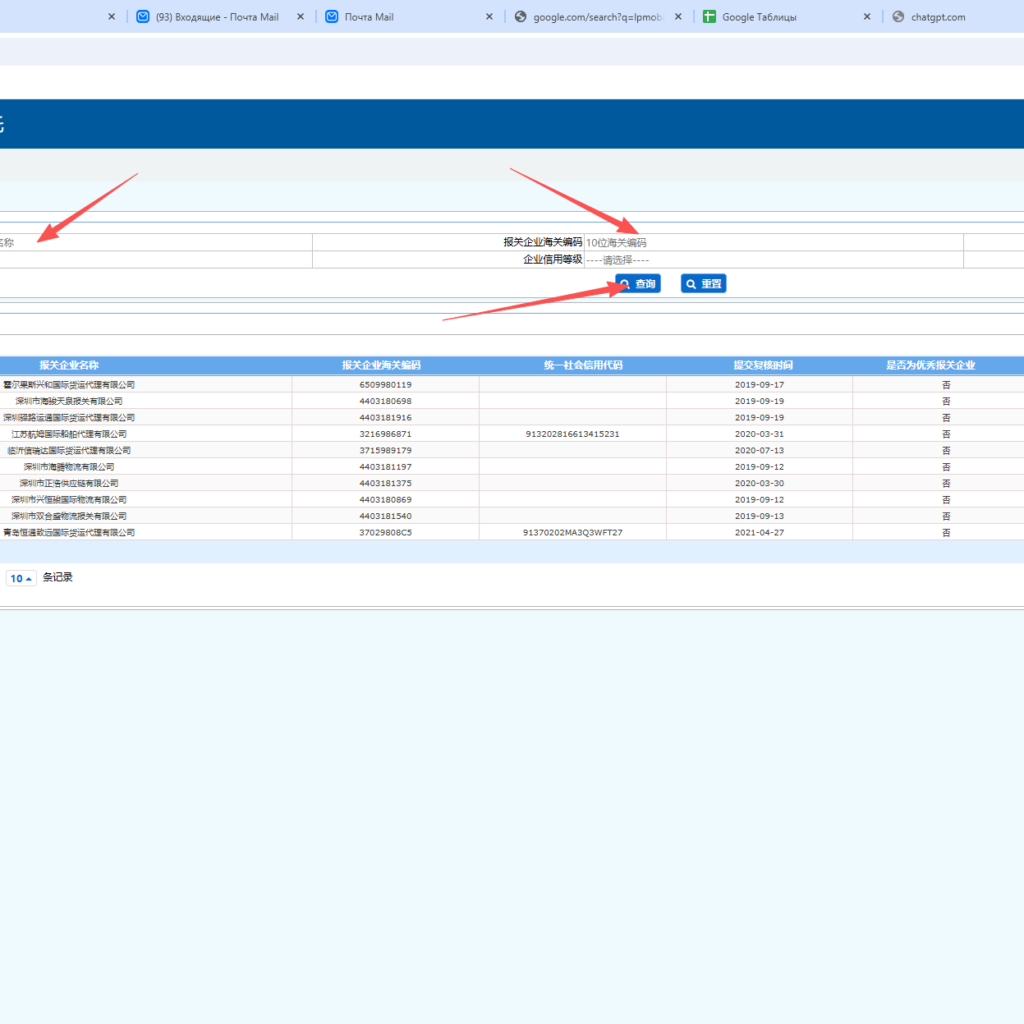
In most cases, a standard access configuration is used, which allows:
- submission of export declarations;
- access only to necessary operational modules;
- no access to sensitive corporate data.
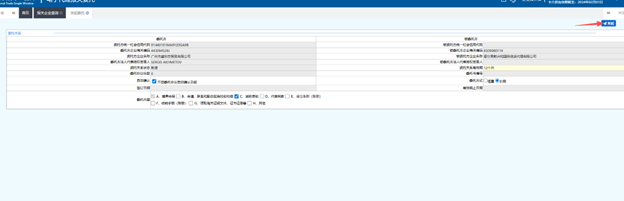
Result: What Happens After Access Is Granted
Once the setup is completed:
- your logistics company receives official access to the Single Window system;
- your transport partner can file export declarations on behalf of your Chinese company;
- export operations become fully compliant and risk-free.
Common Mistakes When Using Port USB Keys
- trying to use macOS instead of Windows;
- skipping the system restart after driver installation;
- using low-quality or damaged USB cables;
- incorrect access permission settings for logistics partners.
Conclusion
Proper configuration of the China Port USB Key and the Single Window system is a mandatory step for exporting goods from China.
When set up correctly, it allows your logistics partner to handle customs and export declarations smoothly and legally.
Add a Comment